Continue reading
Pick up recently opened papers right from the home page.
You rarely finish a paper in one sitting. The Continue reading row on the home page keeps your recently opened papers one click away, so you don't have to dig up a URL or re-run a search to get back to where you were.
Where to find it
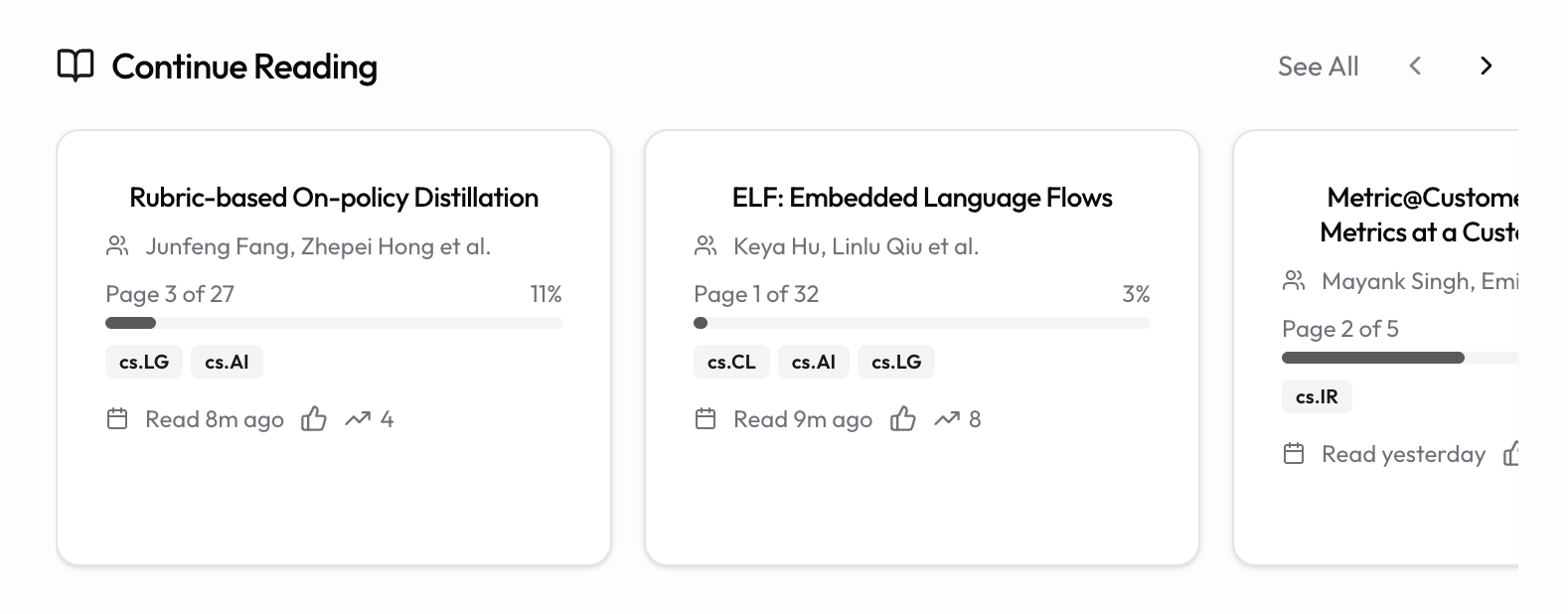
When you're signed in, the home page shows a Continue reading section near the top, with a horizontal row of paper cards. Use the arrows on the right of the heading to scroll through them, or the See All link to open the full list in a dedicated page.
If you haven't opened any papers yet, the row simply doesn't appear.
How papers get here
Any paper you open in the Reader is tracked automatically. There's nothing to save manually. The row is ordered by most recently viewed first, so the paper you looked at last sits at the front.
The row shows your most recent papers (up to around 20). For the complete history, use See All next to the navigation arrows.
Reading progress
Each card shows how far you got. If page information is available, you'll see a progress bar with "Page X of Y" and a percentage. Cards also show a relative timestamp like "2h ago" or "Yesterday" so you can tell at a glance how recent each one is.
Previewing a paper before you open it
Cards are small, so long titles get trimmed to two lines. Rest the pointer on a card for a couple of seconds and it pops out into a larger panel that floats above the row. There is nothing to click: the cover image slides up into a thin strip along the top while the paper's abstract grows into the space it leaves behind, so a pause on a card is enough to read what it is about.
The delay is deliberate. Sweeping the pointer across the row on your way somewhere else never triggers a panel; only a deliberate pause does.
For a longer read, use the expand button in the panel's top-right corner. The preview moves to the middle of the screen at a wider measure and a larger type size, which is the comfortable way to read a full abstract. Close it with the X in its corner, with Escape, or by clicking the dimmed area around it. Once you dismiss a preview it stays dismissed until you move the pointer again, so closing one never makes another pop up under your cursor.
The panel gets out of your way as easily as it appeared. It closes when you move the pointer off it, when you press Escape, or when you scroll the page or the row. Scrolling the abstract itself keeps the panel open, so a long abstract is safe to read all the way through.
The same preview works on the Trending papers row.
The pop-out is a pointer feature, so it doesn't appear on phones and tablets. On a touch screen, tapping a card opens the paper as usual.
Resuming a paper
Click any card to reopen that paper in the Reader. arXiv papers reopen by their arXiv ID; uploaded papers reopen by their internal ID, so your own uploads show up here too.
Clicking the popped-out preview panel opens the paper too, and because it's an ordinary link you can middle-click or Cmd-click (Ctrl-click on Windows) it to open the paper in a new tab. The abstract itself is selectable rather than clickable, so use the Open paper button at the bottom of the panel when you have been reading it.
Tidying the row
Hover over a card to reveal two small buttons in its corner:
- Mark as read (the checkmark) removes the paper from the row once you're done with it.
- Remove from list (the X) dismisses a paper you opened by accident or no longer need.
Once the card has popped out into a preview panel, the same two buttons sit in the panel's corner, and the like button moves into its footer, so both stay within reach while you're reading the abstract.
Both actions take effect immediately. They only change what appears in the Continue reading row; they don't delete the paper, your highlights, or your notes.
Tips
- The row refreshes when you return to the home tab, so a paper you just read in another tab appears right away.
- Use the preview to triage a backlog: pause on a card, read the abstract, and mark as read without ever opening the paper.
- Mark papers as read to keep the row focused on what you're actively working through.
- Need the full history instead of the recent few? Use the See All link.